The Complete Beginner’s Guide to ChatGPT: Learn the Basics in 5 Minutes
1) What is ChatGPT—and what can it do for you?
ChatGPT is an AI chat assistant developed by OpenAI. Think of it as an always-available helper you can talk to in plain language.
Here are some of the things it’s great at:
💼 Work productivity: writing emails, outlining presentations, summarizing meeting notes, basic data analysis
📚 Learning support: explaining complex ideas, rewriting text, translating languages, generating practice questions
✍️ Content creation: drafting articles, brainstorming titles, storytelling, marketing copy, ideation
💻 Coding help: writing code, debugging, explaining technical concepts
🌐 Translation & communication: real-time multilingual translation, polishing wording
🎯 Personal planning: workout plans, travel itineraries, recipe ideas
Simple idea: you tell it what you need in text, and it replies in human language. No coding required—use it like chatting.
2) Create an account in 3 minutes (step-by-step)
Step 1: Visit the official website
Open your browser and go to: chat.openai.com
You’ll see a welcome screen—click Sign up.
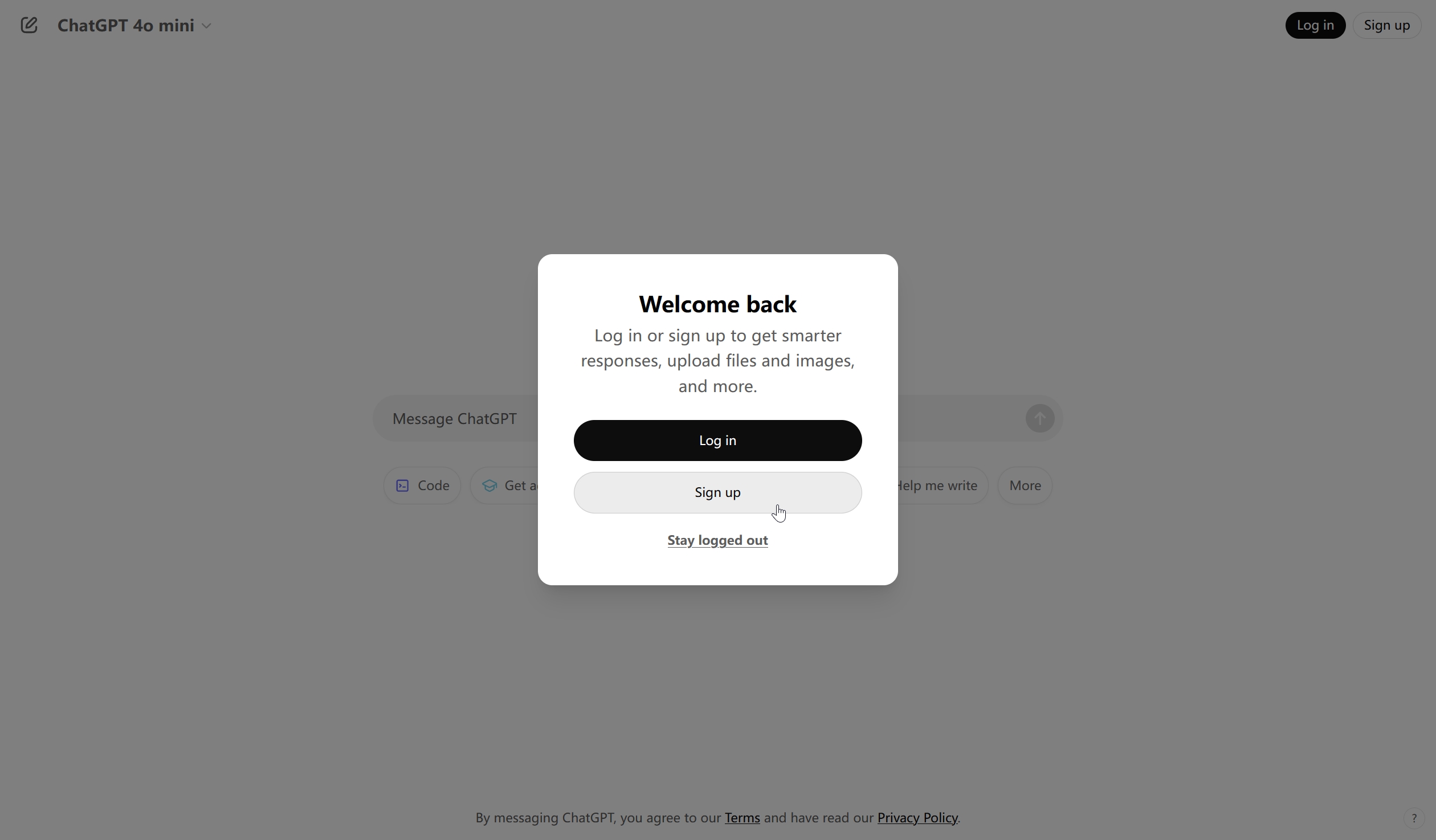
If you’re on a phone, you can also search “ChatGPT” in the app store and download the official app (green icon with a white knot-like symbol).
Step 2: Choose a sign-up method
Here are the most common options (ranked by convenience):
Sign in with Google (recommended; works well if you use Gmail)
Sign in with Apple ID (great for Apple users)
Sign up with email (works with Outlook/Gmail; QQ Mail/163 may not work)
Tip: If you use email sign-up, Gmail or Outlook usually has a higher success rate.
Step 3: Fill in basic details
Enter your email (or authorize with Google/Apple)
Create a password (at least 8 characters, includes letters + numbers)
Verify your email by clicking the link you receive
Step 4: Phone verification (important)
Latest update (2025): A phone number is not required for basic ChatGPT sign-up, but you may need it for the API or certain advanced features.
If verification is required:
Select your country/region code (Mainland China numbers may not work; some users try Hong Kong or SMS verification services)
Enter the 6-digit code you receive
After verification, you’ll be redirected to the chat interface—your account setup is complete.
3) Understanding the interface (what you’re looking at)
After you sign up, you’ll see a layout similar to this.
The 3 main areas
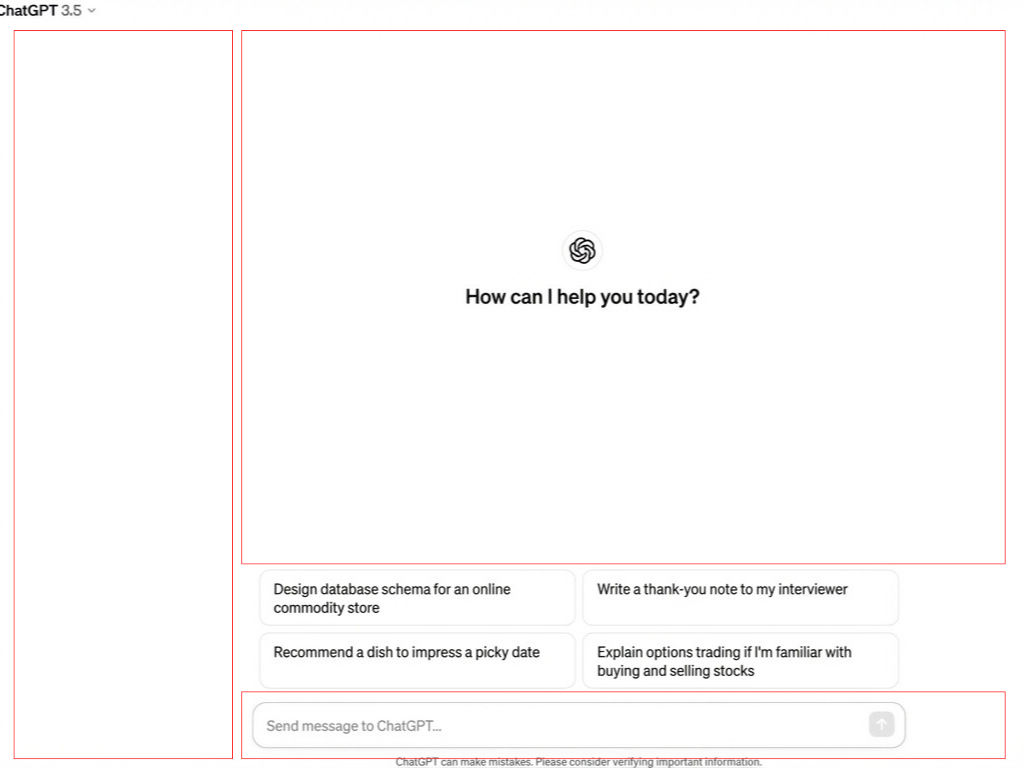
| Area | What it does |
|---|---|
| Left sidebar | Shows your chat history; start new chats, search old ones, open settings |
| Main chat area | Displays the conversation, like a messaging app |
| Input box (bottom) | Where you type; click Send or press Enter |
Key buttons to know
New chat: top-left, starts a new topic
Model selector: at the top (you may see options like GPT-4o for free/paid and GPT-o1 for advanced tiers)
Settings (gear icon): bottom-left, change language, theme, preferences
Copy / Regenerate: buttons beside answers to copy text or ask for a new response
4) The basics: how to ask better questions (and get better answers)
❌ Weak prompts vs ✅ strong prompts
| Less effective (generic answers) | More effective (precise help) |
|---|---|
| “Write an article for me.” | “Write an 800-word, science-based article on the health risks of staying up late, for college students. Keep it light and humorous, and include 3 practical tips.” |
| “What is blockchain?” | “Explain blockchain in a way a 10-year-old could understand. Use a simple analogy and keep it under 100 words.” |
| “What’s wrong with this code?” (paste only) | “I’m a Python beginner. This code throws ‘IndexError.’ Explain why it happens, how to fix it, and add comments to the corrected version.” |
A universal prompt formula
Role + Task + Requirements + Format
Example:
“As an experienced nutritionist (role), create a 7-day weight-loss meal plan (task). Keep it low-carb and suitable for office lunch boxes (requirements). Present it in a Monday–Sunday table (format).”
5 useful starter templates
Writing
“Please write a [type: email/report/ad copy] about [topic], around [X] words, for [audience], with a [formal/friendly/playful] tone.”
Learning
“I’m a [high school student/college student/beginner]. Explain [concept] in simple terms and give one real-life example.”
Translation & polishing
“Translate the following into natural, professional English for a business context: ‘…’”
Analysis & summary
“Summarize the key points of the text below in 3 bullets, each under 20 words: [paste]”
Programming
“Write a [Python/JavaScript] program that does [function]. Requirements: (1) commented code, (2) handle edge cases, (3) include a runnable example.”
5) Next-level tips: how to make ChatGPT understand you better
Use follow-up questions (multi-turn chats)
ChatGPT can use context from the current conversation (often the most recent ~20 turns). You can:
Ask for details: “Can you expand on point #2?”
Request edits: “This is too long—cut it down to 100 words.”
Correct misunderstandings: “That’s not what I meant. I meant B, not A.”
Set a role to boost quality
Assigning a role at the start often makes answers sharper:
“You’re an HR specialist with 10 years of experience. Improve the ‘About me’ section of my resume…”
“Act as a patient high school math teacher. Solve this trigonometry problem step by step…”
Custom Instructions
Go to your profile → Settings → Personalization to set:
About you: “I work in marketing, prefer Chinese, and want concise answers.”
How you want replies: “Start with a short summary, then details. If unsure, say so.”
This saves time because ChatGPT will follow these preferences in future chats.
6) ⚠️ Beginner pitfalls to avoid
Security & privacy
Never paste: ID numbers, bank cards, passwords, confidential company documents
Be cautious with: personal details (real address/phone), non-public business data
Best practice: use placeholders or fictional examples for sensitive topics
Accuracy
ChatGPT can occasionally be confidently wrong, so verify important facts
Double-check math with a calculator
Medical/legal content is for reference only, not professional advice
Free vs paid
| Feature | Free | Plus ($20/month) |
|---|---|---|
| Basic chat | ✅ | ✅ |
| GPT-4o access | ✅ limited | ✅ more |
| Web browsing | ✅ recent updates | ✅ priority |
| Image generation (DALL·E) | ❌ | ✅ |
| Advanced data analysis | ❌ | ✅ |
Recommendation: start free to learn the basics, then upgrade only if you truly use it often.
7) 🚀 Try these 3 quick beginner exercises
Icebreaker
“Hi, it’s my first time using ChatGPT. Introduce yourself in 3 sentences and recommend 3 beginner-friendly features.”
Solve a real problem
Send the thing you need most right now (example: “Write a polite leave request email for tomorrow. I have a family emergency.”)
Explore the boundaries
“What can you do? List 10 common use cases.”
Summary: remember these 3 rules
Be specific: add context, requirements, and the format you want
Ask follow-ups: treat it like a helper you refine through conversation
Start now: open chat.openai.com and send your first message
You’ve got this—real learning starts by trying it.